Command palette and shortcuts
Command palette
Press Ctrl+K (Cmd+K on macOS) anywhere to open the command palette. The header shows the shortcut as a reminder. Type to filter the list, use ↑/↓ to pick a command and Enter to run it. The commands you used last come first.
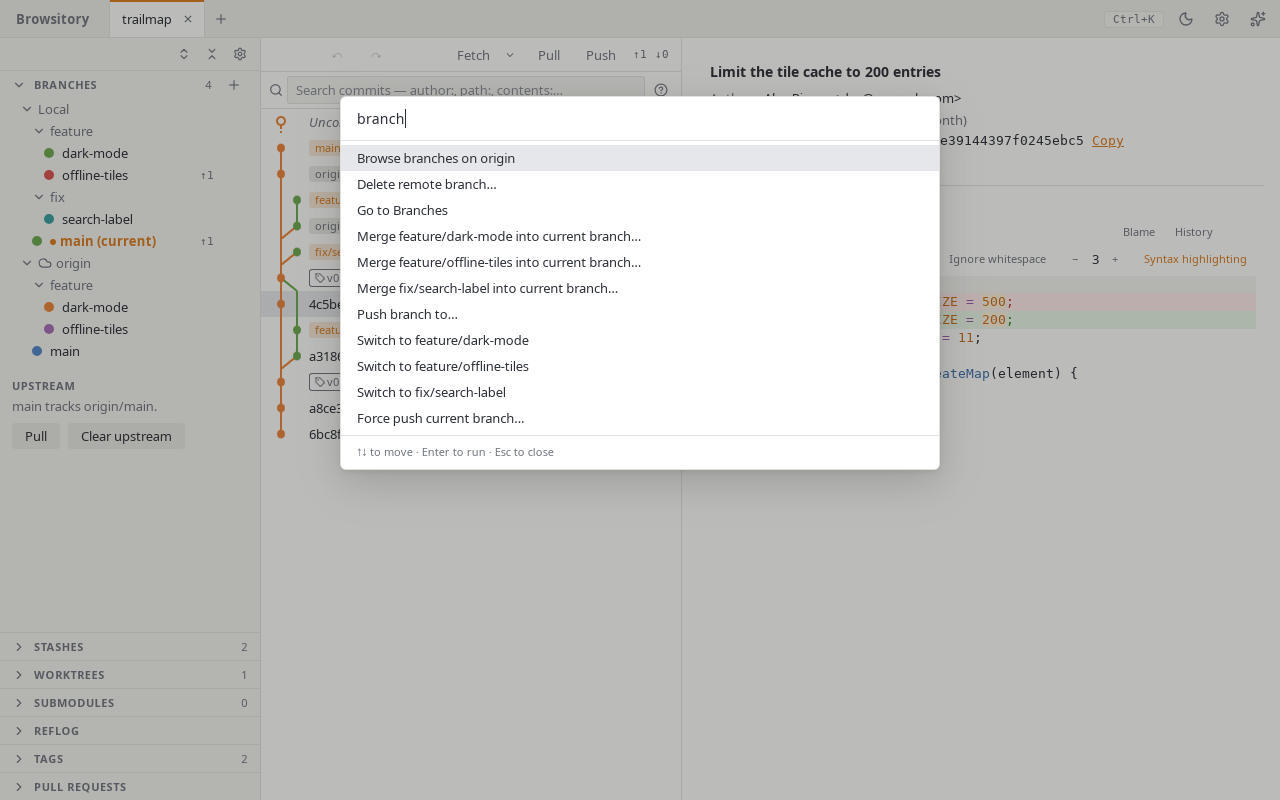
The palette has almost every action in Browsitory, grouped like this:
- Branches: switch to a branch, merge a branch into the current one, check out a tag.
- Remotes: fetch, push, Push branch to…, Force push current branch…, push all tags, Browse branches on ⟨remote⟩, add, edit or remove a remote, manage its credentials, and delete a remote branch.
- Stash: stash all, Stash…, stash the current file, and show, apply, pop or drop a stash.
- Diff: ignore whitespace, more or fewer context lines, syntax highlighting, discard the current file or all unstaged changes, open the current file in your editor or diff tool.
- Go to: open a sidebar section and move to it, for example Go to Tags.
- Repositories: switch to another tab, close the tab, open a terminal, reveal the repository in the file manager.
- General: Refresh, undo and redo, search commits, file history of the current file, the selected commit's actions (cherry-pick, revert, reset, check out), worktree and submodule actions, Preferences…, Show keyboard shortcuts, Third-party licences and Open user guide.
Commands that can't run right now are left out. For example, while a rebase is paused, the palette offers only the commands that are safe until it is finished.
Keyboard shortcuts
Press ? (outside a text field) for the full list of shortcuts. The most useful ones:
| Keys | What they do |
|---|---|
| Ctrl/Cmd+K | Open the command palette |
| Ctrl/Cmd+Z | Undo the last Git operation |
| Ctrl/Cmd+Shift+Z or Ctrl+Y | Redo |
| Ctrl/Cmd+W | Close the active tab (in VSCode only where VSCode doesn't use it) |
| Ctrl/Cmd+F | Search commits (with the commit list focused) |
| Ctrl/Cmd+Enter | Commit (in the commit message) |
| ↑/↓ or j/k | Move through commits or changed files |
| Shift+↑/↓ | Select several commits |
| Home/End, PageUp/PageDown | Jump in the commit list |
| s | Stage or unstage the selected file, lines or hunk |
| d d | Discard the selected lines or hunk |
| [ and ] | Previous and next hunk |
| Left/Right, Home/End | Switch tabs, with a tab focused |
| Delete | Close the focused tab |
| Menu key or Shift+F10 | Open the focused item's menu |
| Esc | Close a dialog or menu |
Context menus from the keyboard. The Menu key or Shift+F10 (Fn+Shift+F10 on most Mac keyboards) opens the menu of the focused branch, remote, changed file, commit or tab. In a menu, ↑/↓, Home/End or a letter move between items, Enter or Space runs one, Esc closes the menu, and Tab closes it and moves on.
Resizing. With a divider between the columns focused, Left/Right resize the columns. Double-click a divider to collapse or expand the sidebar.