Browsitory user guide
Browsitory is a Git client for your desktop and for VSCode. It shows your history as a commit graph and lets you stage, commit, branch, merge, rebase, stash and tag, with undo for most of it. Open several repositories as tabs, and save groups of them as workspaces.
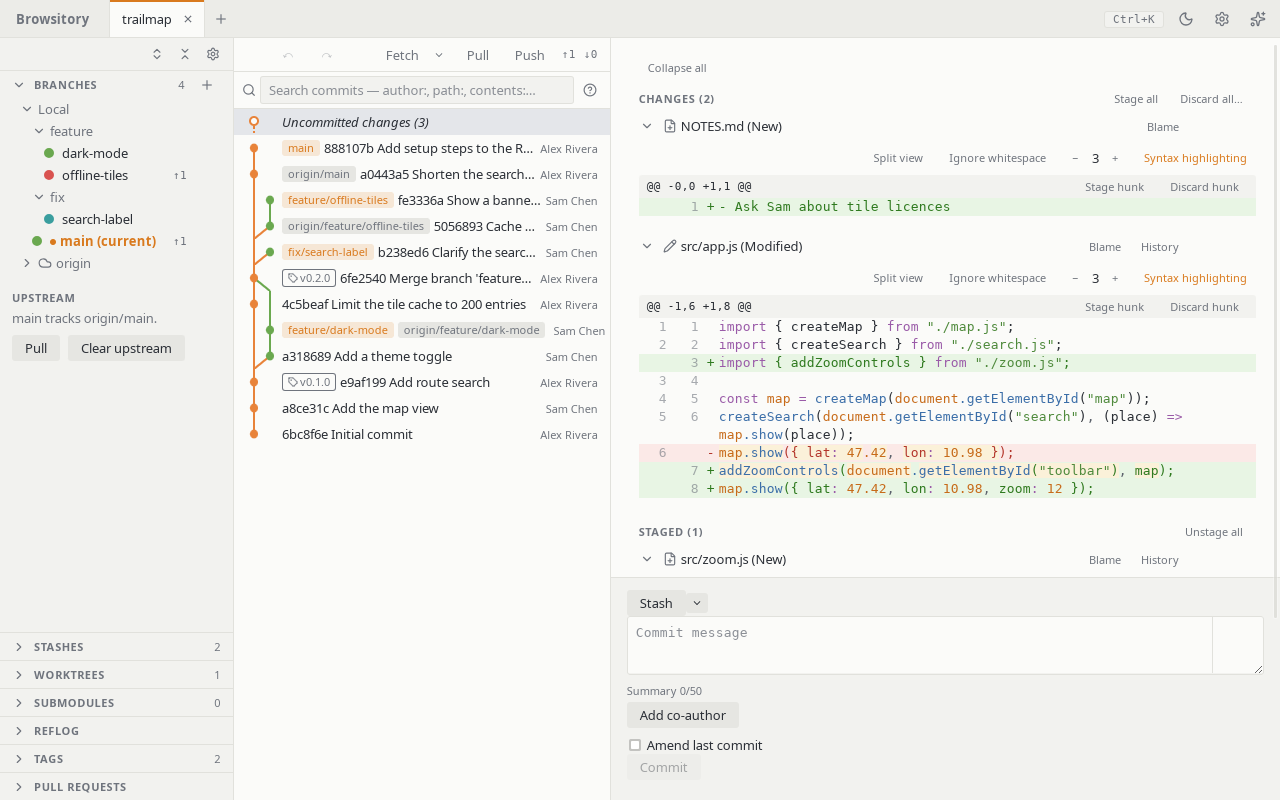
Get started
- Install Browsitory: the desktop app, or the VSCode extension.
- Open, clone or create a repository.
- Get to know the main window.
- Press Ctrl+K (Cmd+K on macOS) for the command palette, and ? for the keyboard shortcuts.
Topics
Repositories
Everyday work
- Staging and committing
- Resolving conflicts
- History and diffs
- File history
- Searching commits
- Comparing commits and branches
- Undo and redo
Branches and sharing
Changing history
More
- Worktrees and submodules
- Signing commits
- Hooks
- External tools
- Command palette and shortcuts
- Troubleshooting
Found a problem, or a page that's wrong? Report it on GitHub.